


Your website went down three hours ago. You just found out from a customer.
It's easy to neglect your website. A small website maintenance issue can sabotage your sales conversions, peace of mind, customer experience, and confidentiality. Website issues don't like the sunlight. They prefer the nooks and crannies of your website's code.
Most business owners don't need to perform website maintenance themselves. You just need to know it's getting done. If you're comparing providers or evaluating your current one, this website maintenance checklist shows you exactly what you need.
Website maintenance isn't a one-time task; it is an ongoing procedure (when done right it won't eat up your time or stress you out). Here we will give you eight specific tasks to verify maintenance is actually happening, whether you handle it yourself or hire a provider. Each task includes what "done" looks like, what proof to request, and a one-line message you can send to verify the work.
If you would like to dive deeper into the state of website maintenance in 2026 you can visit our complete guide to services, costs, and packages.
How to Use This Checklist
If you outsource to a great website maintenance service, you can somewhat set it and forget it, provided they adhere to the checklist.
A good website maintenance provider is diligent with keeping you updated with any website issues and quick to adapt to your new business initiatives. Here's how to do it:
- Review this website maintenance checklist quarterly.
- Set a calendar reminder.
- Go through each task and confirm it was completed on schedule.
Request and store proof: Ask for the specific documentation listed under each task. Save reports in a simple folder structure (by month) so you can spot patterns or gaps over time. (A great website maintenance service will make their reports super easy to archive!)
What missing proof means: If your website maintenance service can't send you backup logs, scan reports, or update histories, the work probably isn't being done reliably. It may just mean they lack tracking systems, but either way it's a gap that must be address.
Use this when comparing website maintenance providers. Before you hire someone, ask how they handle each task and request sample reports (with identifying details removed).
✓ Your Complete Website Maintenance Checklist
Check off each task you can verify (with logs or reports) to see your maintenance grade
0/8
Complete
0/8
Complete
The 8-Point Website Maintenance Checklist (With Proof)
1. Daily Automated Backups (Plus Restore Testing)
Goal: Create complete copies of your site and database every day so you can recover from server failures, hacks, or bad updates without losing critical data.
Recommended frequency: Daily backups, quarterly restore testing. Increase restore testing to monthly for e-commerce or high-change sites. CISA (Cybersecurity & Infrastructure Security Agency) highly recommends keeping multiple, offline, encrypted, regularly tested backups in their #StopRansomWare initiative.
If skipped: Recovery from crashes, hacks, or bad updates becomes slower and more expensive. You risk losing days, weeks, and in really bad cases, months of content changes, leads, recent orders, and customer records. Backups that aren't tested often fail when you actually need them.
What "done" looks like for your website maintenance checklist:
- Backups run automatically every day without manual intervention
- Both site files and database included in each backup
- Backups stored off-site, separate from your hosting server
- Restore testing performed at least quarterly to confirm backups work
- Multiple backup versions retained for at least 30 days (longer for compliance or high-change sites)
- At least one backup encrypted/access-controlled
Proof to request:
- Backup logs showing daily completion timestamps and file sizes
- Confirmation that restore testing was performed, including date and outcome
- Documentation showing backup storage location and retention period
One-line request you can send: "Can you send me this month's backup logs and confirmation that you tested a restore this quarter?"
2. Weekly Security Scans
Goal: Detect malware, suspicious code changes, and known vulnerabilities through regular automated scanning.
Recommended frequency: Weekly.
If skipped: Malware or compromised files can go undetected for weeks or months. The longer a breach sits undetected, the more damage it does and the harder cleanup becomes. The last thing you want is a SQL injection to wreak havoc for both you and your customers.
What "done" looks like for your website maintenance checklist:
- Automated scans run weekly, checking for malware, suspicious files, and known vulnerabilities
- Scan results reviewed and any threats addressed promptly
- Alerts configured to notify immediately if threats are detected
- Documentation of scan results kept for compliance or auditing
Proof to request:
- Weekly scan reports showing threats detected or all clear status
- Log of any security incidents found and how they were resolved

One-line request you can send: "Can you send me the past four weeks of security scan reports?"
3. Weekly Software Updates (Core, Plugins, Themes)
Goal: Apply updates to CMS core, plugins, and themes to patch security holes, fix bugs, and maintain compatibility.
Recommended frequency: Weekly.
If skipped: Known security vulnerabilities remain unpatched. Most hacks exploit known vulnerabilities that have already been fixed. If you're running old versions, you're giving attackers an easy target. Your page experience will suffer which can negatively affect your search ranking.
What "done" looks like for your website maintenance checklist:
- Updates reviewed and applied weekly (minimum standard)
- Updates tested in a staging environment before applying to live site (better standard)
- Rollback plan ready in case an update causes problems (backup taken immediately before updates)
- Documentation of what was updated and which version numbers changed
- Inactive or abandoned plugins removed rather than left outdated
Proof to request:
- Update logs listing what was updated, including plugin or theme names, old version, and new version
- Change log or ticket history showing updates applied
One-line request you can send: "Can you send me this month's update log showing what was updated and the version changes?"
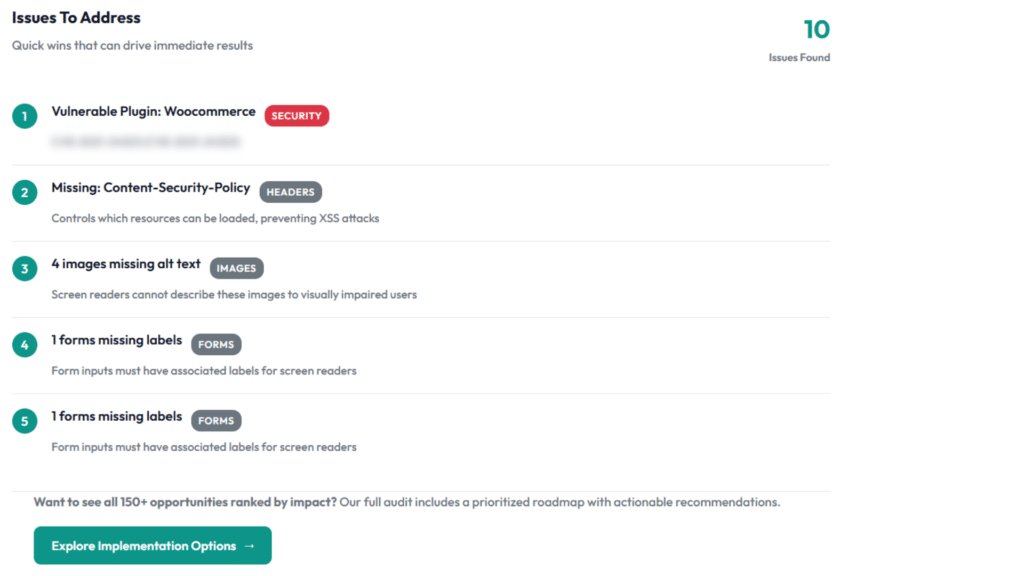
Updates applied blindly without testing can break critical functionality like contact forms or checkout. A staging environment and pre-update backup prevent discovering this after customers report problems.
4. 24/7 Uptime Monitoring
Goal: Detect outages quickly so you know when your site goes down and can respond before losing significant traffic or revenue.
Recommended frequency: 24/7 continuous monitoring.
If skipped: Your site can be down for hours before you notice. You have no reliable record of uptime or outage duration. Customers try to reach you and can't, so they go to competitors instead. You will struggle to compare what truly works vs. what doesn't as your website expands.
What "done" looks like for your website maintenance checklist:
- Automated monitoring checks your site at regular intervals (every 5 to 15 minutes is standard)
- Alerts sent when site becomes unreachable, via email, SMS, or phone depending on severity
- Monitoring checks both homepage and critical pages like contact forms or product pages (better standard)
- Historical uptime data tracked and reported monthly
Proof to request:
- Uptime report showing availability percentage over the past 30 days
- Log of any downtime incidents with duration and cause
One-line request you can send: "Can you send me this month's uptime report showing percentage and any incidents?"
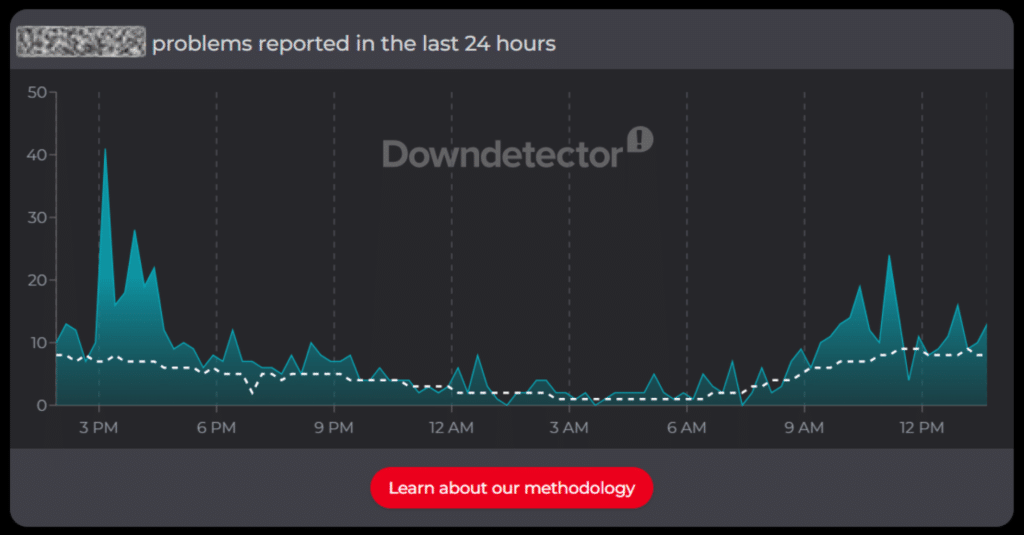
For more information on how to review your website uptime & outages check out our detailed article.
5. Monthly Performance Optimization
Goal: Keep your site loading fast by cleaning up accumulated junk data, optimizing images, and maintaining efficient database performance.
Recommended frequency: Monthly.
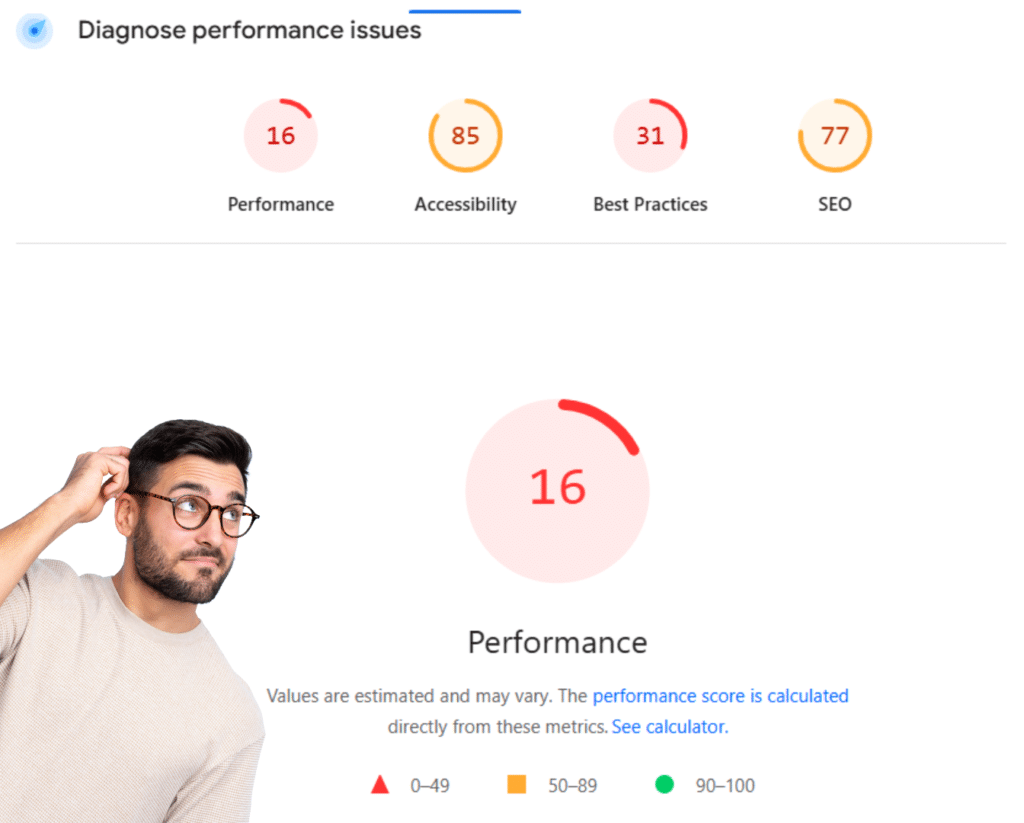
If skipped: Your site gradually slows down as database bloat accumulates and unoptimized content piles up. Visitors leave before pages load. Google ranks you lower because site speed is a ranking factor. You can use their PageSpeed Insights tool for a quick glance.
What "done" looks like for your website maintenance checklist:
- Database cleanup removes old post revisions, spam comments, and expired transients
- Images compressed without quality loss using optimization tools
- Caching configuration reviewed and updated as needed
- Unused plugins and themes removed to reduce bloat
- Page speed tested and documented
Proof to request:
- Page speed test results or performance report showing current load times
- Report of database cleanup, including how much data was removed or space reclaimed
One-line request you can send: "Can you send me this month's performance optimization report with current page speed results?"
6. Monthly Broken Link Checks
Goal: Find and fix broken internal and external links that frustrate visitors and signal poor site maintenance to search engines.
Recommended frequency: Monthly.
If skipped: Broken links accumulate over time. Visitors click expecting information and get "404 Page Not Found" errors instead. Some leave your site entirely. Search engines see broken links as signs of neglect.
What "done" looks like for your website maintenance checklist:
- Automated scans check all internal and external links
- Broken links identified with specific page locations
- Links updated to correct destinations when pages have moved
- Links removed when destination no longer exists and no alternative is available
- Redirects implemented for moved pages to preserve navigation and SEO value
Proof to request:
- Broken link report showing links found and how they were fixed
- List of pages scanned and total links checked

One-line request you can send: "Can you send me this month's broken link report showing what was found and fixed?"
A popular resource page with 10 outbound links can quietly break over time as destination sites move or shut down. Visitors hit dead ends. The page becomes less useful. No one notices because no one is checking.
7. Quarterly Security Audit (Access and Configuration)
Goal: Review your complete security setup to catch configuration issues, weak passwords, unnecessary user accounts, and expiring certificates.
Recommended frequency: Quarterly (every three months).
If skipped: Configuration issues pile up over time, creating security gaps that automated scans don't catch. Examples include inactive admin accounts, weak access controls, outdated SSL certificates, or improper file permissions. OWASP 2025 report moved Security Misconfiguration to it's #2 slot of priority indicating "100% of the applications tested were found to have some form of misconfiguration...over 719k occurrences of a Common Weakness Enumeration (CWE) in this risk category."
What "done" looks like for your website maintenance checklist:
- Full review of user accounts and permission levels
- Removal of inactive user accounts and downgrading of unnecessary admin access
- Password strength audit and enforcement of strong password policies
- SSL certificate status confirmed and renewal scheduled if needed
- Firewall rules reviewed and updated based on current threat patterns
- Two-factor authentication confirmed as active for admin accounts
- File permissions checked to ensure proper security settings
Proof to request:
- Security audit report with findings and actions taken
- List of user accounts reviewed and changes made
- SSL certificate expiration date and renewal plan
One-line request you can send: "Can you send me this quarter's security audit report with findings and what was implemented?"
An employee leaves but their admin account stays active. Months later that account gets compromised or used by someone who no longer works for you. Regular audits catch these orphaned accounts before they become liabilities.
8. Ongoing Technical Support (With Response Expectations)
Goal: Have access to CMS experts who can troubleshoot issues, answer questions, and handle unexpected problems when they arise.
Recommended frequency: Ongoing (as needed).
If skipped: When problems happen, you have no one to call. Issues drag on while you search for help or try to fix things yourself. Downtime lasts longer and problems get more expensive.
What "done" looks like for your website maintenance checklist:
- Clear Service Level Agreement (SLA) defining response times for different issue types (urgent vs routine)
- Multiple contact methods available (email, phone, ticketing system)
- Documented escalation process for urgent problems
- Support team familiar with your site and business needs
- After-hours emergency support available for critical issues (better standard)
Proof to request:
- SLA document showing response times by issue severity
- Contact information for support (phone, email, portal)
- Recent ticket history showing your provider's actual response times
One-line request you can send: "Can you send me your SLA document and recent ticket history showing your actual response times?"
Adjust the Frequency by Site Type
Not all sites need the same attention. Adjust these baseline frequencies based on your site's purpose and change rate:
Small brochure site (low change, low traffic). Stretch some tasks like restore testing to quarterly and broken links to biweekly. Keep weekly security scans and updates regardless of traffic.
Lead-generation site (forms and conversion matter). Test forms weekly instead of monthly. Monitor uptime more aggressively. Downtime or a broken form costs you real revenue.
E-commerce or high-change site (orders, inventory, frequent edits). Increase restore testing to monthly. Consider daily performance monitoring. You're generating customer and transaction data constantly.
Bonus Checks Most Plans Forget (But Owners Feel Immediately)
The eight core website maintenance checklist tasks above are essential, but these additional checks make a noticeable difference. Most website maintenance plans skip these.
Having live support access to your website maintenance provider during crises is a massive reassurance that many website maintenance services don't provide. Last thing you want is to deal with is a robot on the phone when your downed website is losing customers.
Form testing (including thank-you pages and email delivery): Test your contact forms, quote requests, and newsletter signups to confirm they submit, deliver email properly, and load thank-you pages. A broken form means lost leads. Monthly for most sites, weekly for lead-gen sites. Proof: Log noting "Tested contact form on [date], submission successful, email received."
Browser and device spot checks: Load your site on different browsers and devices to confirm everything displays and functions correctly. Your site might look perfect in Chrome but broken in Safari. Monthly testing on at least two browsers and two devices. Proof: Note or screenshot documenting what was tested and any issues fixed.
Content freshness audit: Review key pages to catch outdated information like old service offerings, incorrect hours, expired promotions, or outdated team bios. Outdated content damages credibility. Quarterly, or monthly if you run frequent promotions. Proof: Checklist showing pages reviewed and updates made.
Image and media hygiene: Compress images properly and remove unused media files. Oversized images slow your site significantly. Ongoing as you add images, plus monthly cleanup. Proof: Optimization report showing images compressed and file size reduced.
Header, footer, and legal basics: Confirm header and footer links work correctly and privacy policy, terms of service, and other legal pages are present and current. Broken links harm user experience. Missing policies create compliance issues. Quarterly review. Proof: Checklist showing links tested and legal pages reviewed.
404 page hygiene and redirect management: Set up a helpful 404 page that guides visitors back to useful content. Implement redirects when you move or delete pages. A generic 404 page frustrates visitors. Redirects preserve SEO value. Set up once, review annually, implement redirects immediately when moving pages. Proof: Confirmation custom 404 exists and log of redirects implemented.
Hiring a Provider: Questions That Reveal Real Maintenance
Before you hire a maintenance provider, ask these questions. The answers reveal whether they have real processes or just make promises.
"How do you test restores, and how often?"
Good answer: Quarterly restore testing in staging with documentation.
Red flag: "We have backups" without mentioning testing.
"What's your update process, and do you use staging?"
Good answer: Weekly updates tested in staging before live deployment with rollback plan.
Red flag: "We apply updates immediately" without testing.
"What happens if an update breaks something?"
Good answer: Pre-update backup, documented rollback procedure, defined response time.
Red flag: "That rarely happens" or vague answer.
"What reports do we get monthly, and can I see a sample?"
Good answer: Detailed reports with backup logs, scan results, update history, uptime data, performance metrics.
Red flag: Vague summary reports without specific data.
"What's your actual response time by severity level?"
Good answer: Clear SLA with urgent vs routine times.
Red flag: "We respond as quickly as possible" without specifics.
Simple Next Steps
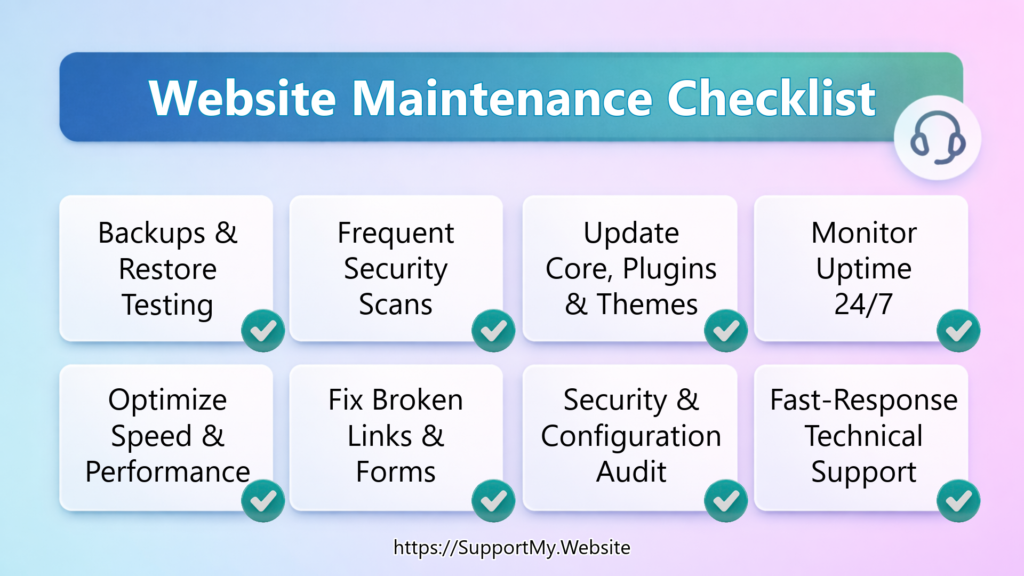
Website maintenance can feel overwhelming if you're starting from zero. Start with these three tasks:
- Automated daily backups. Set up a backup plugin or service today. Configure daily backups to an off-site location. This protects you from worst-case scenarios.
- Weekly security scans. Install a security plugin and configure weekly scans with email alerts. Review results each week.
- Weekly software updates. Set a calendar reminder to check for updates every Monday. Take a backup before applying updates.
These three take less than an hour to set up and less than 30 minutes weekly to maintain. They catch the majority of serious problems before they damage your business. That's the best way to knock of a good portion of this website maintenance checklist.
Once those are running smoothly, add uptime monitoring and performance optimization. Then add the rest as you're ready.
If you'd rather hand this off to a website maintenance service, we handle all eight core tasks plus bonus checks. We provide the proof you need to verify the work is getting done.
Author:
Jason Long, CEO

Jason Long is the founder and CEO of JHMG and SupportMy.Website. He has 25 years of experience in business building, having led web-based projects across industries from agriculture to healthcare. At JHMG, he works as a SaaS Consultant helping businesses start, build, grow, scale, and exit their SaaS businesses.
Outside of work, he enjoys travel, fitness, community-focused projects, and of course spending quality time with family.
Jason Long’s Linkedin
Website: JasonMLong.me
X/Twitter: @jasonmlong